Learn Japanese vocabulary
while you browse.
Your own Japanese word bank, built from the words you meet. Kotoba brings them back as quick flashcards on the pages you read, highlights them on every Japanese website, and can put the reading above every kanji.
Free & open source·No account·Your words never leave your browser
Read real Japanese. Keep what you meet.
Most words are forgotten because you never see them again. Kotoba closes the loop, so every word you save keeps coming back until it sticks.
Read
Browse Japanese sites like you always do: news, blogs, social media.
Collect
Meet a new word? Add it to your bank in seconds, without leaving the page.
Review
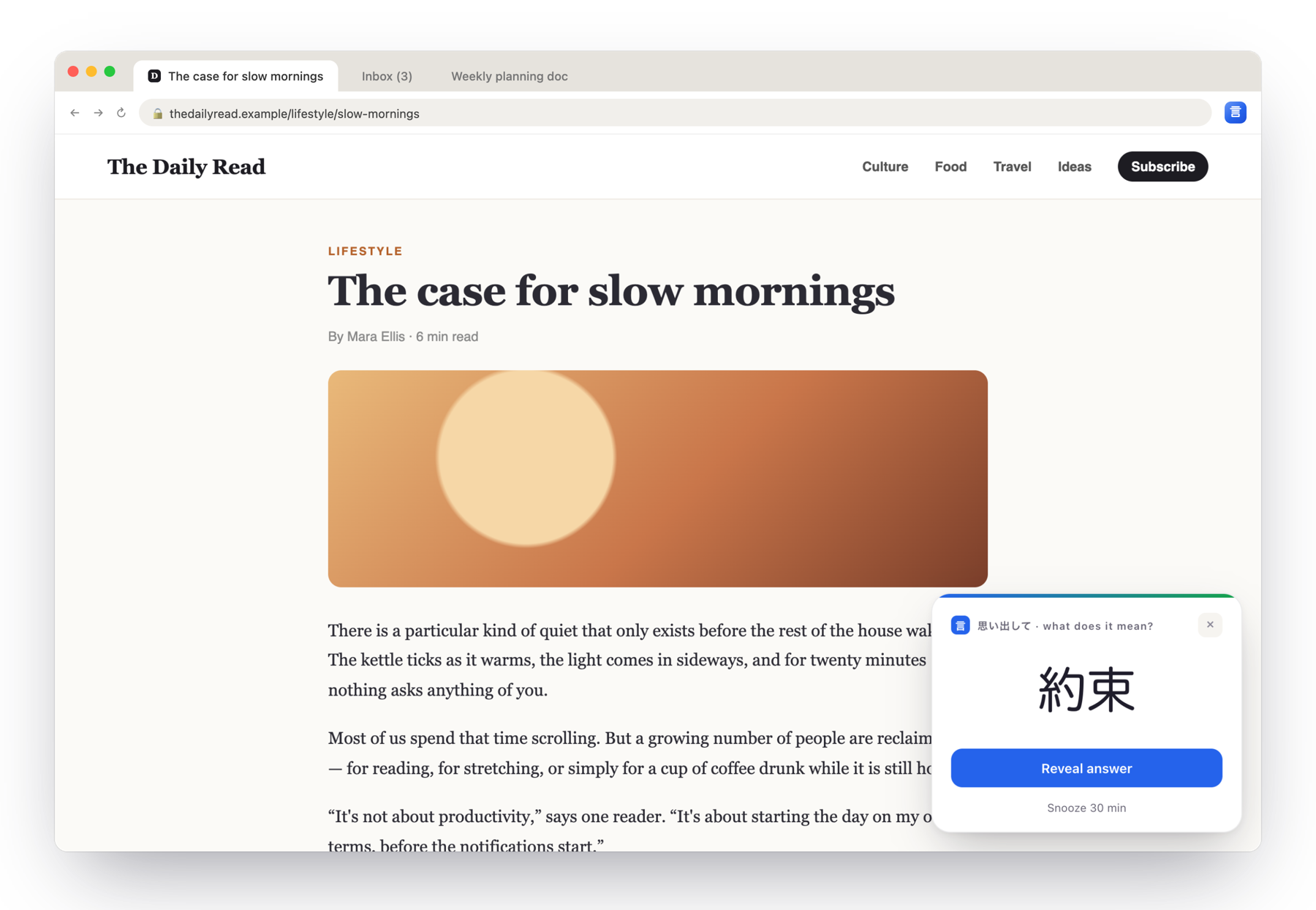
A flashcard pops up every few minutes on whatever page you're on.
Recognise
Next time the word appears on a page, it's highlighted. You know it.
Your words, not a textbook list.
Your bank starts empty on purpose. When you meet a new word in an article, a show, a manga or a conversation, add it. Every flashcard and every highlight comes from what you saved.
- Add in secondsClick the toolbar icon, choose Add word, type the word, reading and meaning, save. You never leave the page.
- In your own wordsWrite meanings in English, Indonesian, or any language you think in. Add notes and examples.
- Organised your wayGroup words into collections (a book, a JLPT level, a show). Search them, or create a new one right from the form. The last one you used stays selected.
- It shows up right awaySaved words are highlighted on pages and join your pop-up flashcards.
週末の楽しみ
new word?散歩は毎朝の楽しみです。近くの公園まで歩きます。
new word?景色がとてもきれいで、写真をたくさん撮りました。
来週は友達と山に行く予定です。
Live demo. Meanings are yours: the second word is saved in Indonesian, into the collection created a moment before.
Reviews that find you.
No app to remember to open. A small card slides into the corner of the page you're reading, you answer, and it's gone.
- Five secondsRecall, reveal, grade yourself, back to what you were doing. Every 1 to 240 minutes, you choose.
- Smart repetitionWords you forget come back more often. Words you know come back less.
- Two modesClassic (reveal, then Known or Forgot) or Tiered, with a reading hint first.
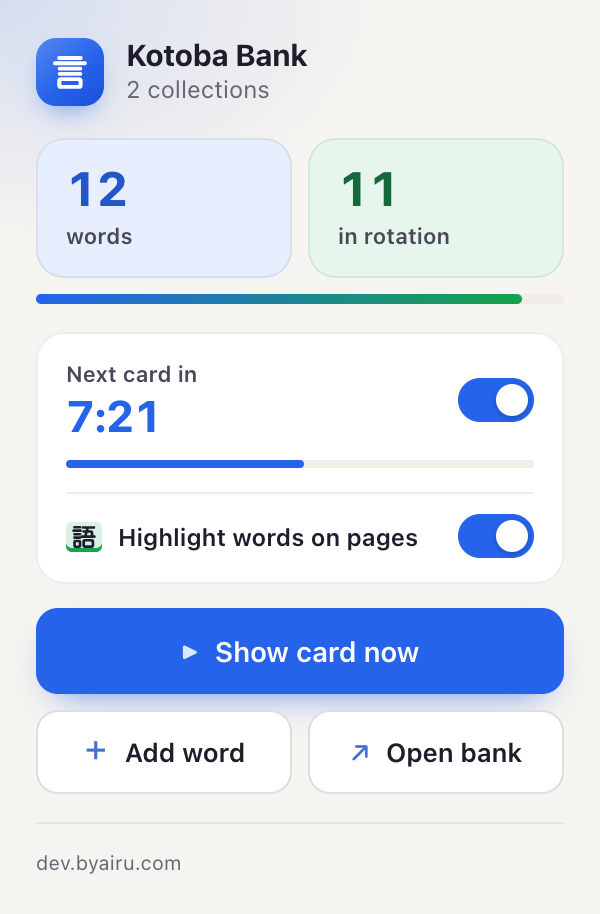
- Always in viewThe toolbar counts down to the next card. Snooze, or switch pop-ups off in one click.
Live demo, sped up. The real card waits as long as you set.
See what you know, on any page.
Open a Japanese website and the words from your bank light up. A wall of text turns into words you recognise.
- Coloured by progressNew, Learning or Mastered, so you see at a glance how well you know each word.
- Conjugations too食べて and 行きました are recognised as forms of 食べる and 行く (dashed line).
- Hover for a reminderThe reading and your meaning appear instantly. Try it on the demo.
- Never touches the pageWorks on furigana sites like NHK News Easy. Mute single words or switch it off from the toolbar.
雨の日の小さな約束
今日は朝から雨でしたが、電車に乗って友達との約束の場所に行きました。時間に少し遅れましたが、一緒にラーメンを食べて、カフェで日本語を勉強しました。Every kanji, readable.
Stuck on a word you can't even sound out? Switch on furigana and every Japanese page shows the reading above its kanji, the way graded readers do.
- On every page, automaticallyNews, blogs, video comments. Text that loads as you scroll gets furigana too.
- Readings that fitOnly the kanji get a reading: 食べる shows た over 食, never over べる. Pages that already have furigana are left as they are.
- Clean to copy, easy to undoReadings stay out of copied text. Switch it off and the page goes back exactly as it was.
- One download, then offlineAn 18 MB dictionary downloads once when you switch it on. After that, every page is read on your computer.
駅前に新しい図書館
先週、駅前に新しい図書館が開館しました。三階には静かな自習室があり、週末は家族連れで賑わっています。Live demo. Click the switch to compare.
A full word bank, beautifully simple.
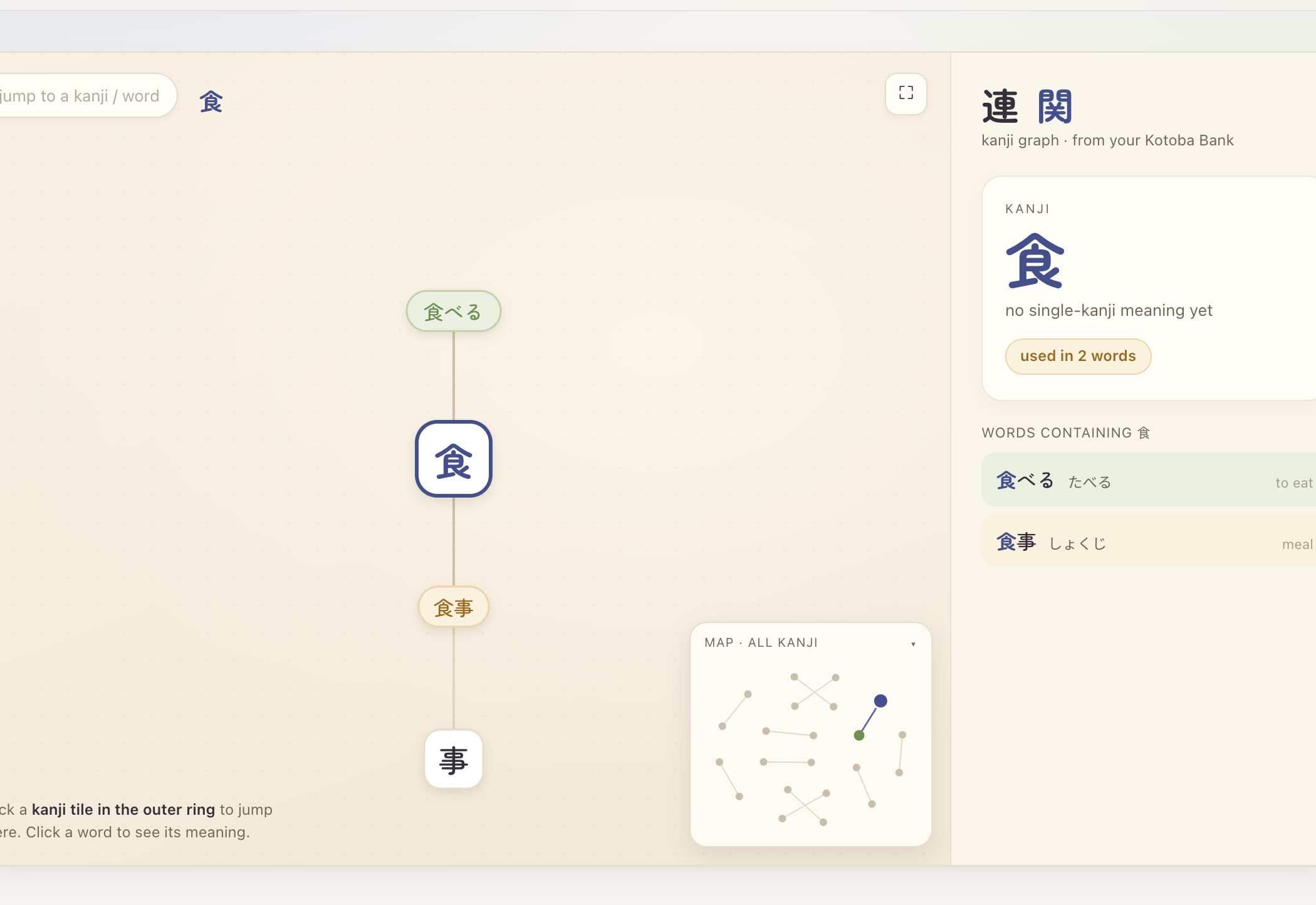
Behind the pop-ups and highlights is a proper home for your vocabulary: study, browse, and dig into kanji.
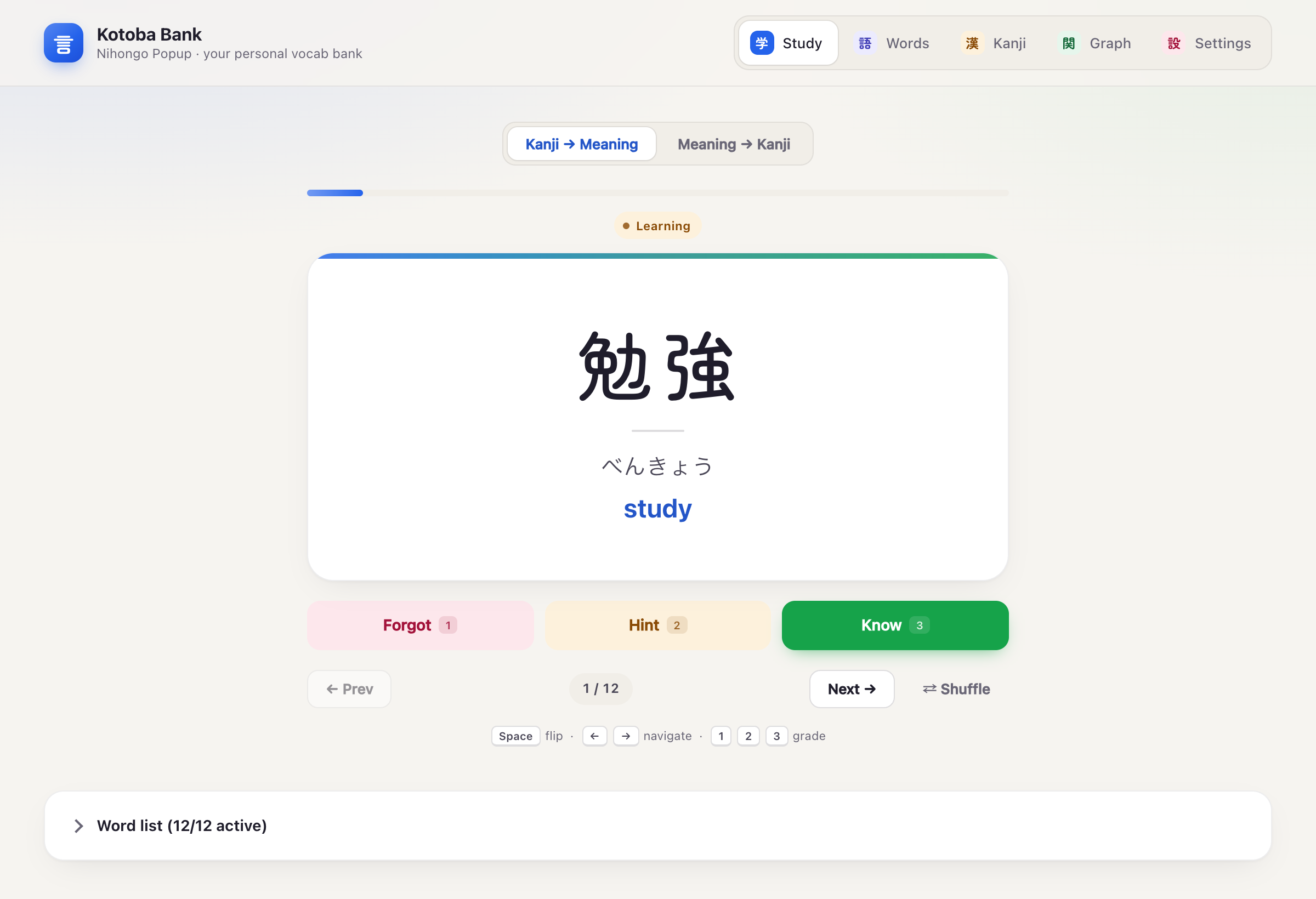
Focused study sessions
When you want a real session, the Study tab gives you one card at a time: big, calm, and fast to grade.
- Kanji → Meaning and Meaning → Kanji, tracked separately
- Keyboard-first:
Spaceflip,123grade,←→ - Undo, pause, and a results screen with a "review forgotten" round
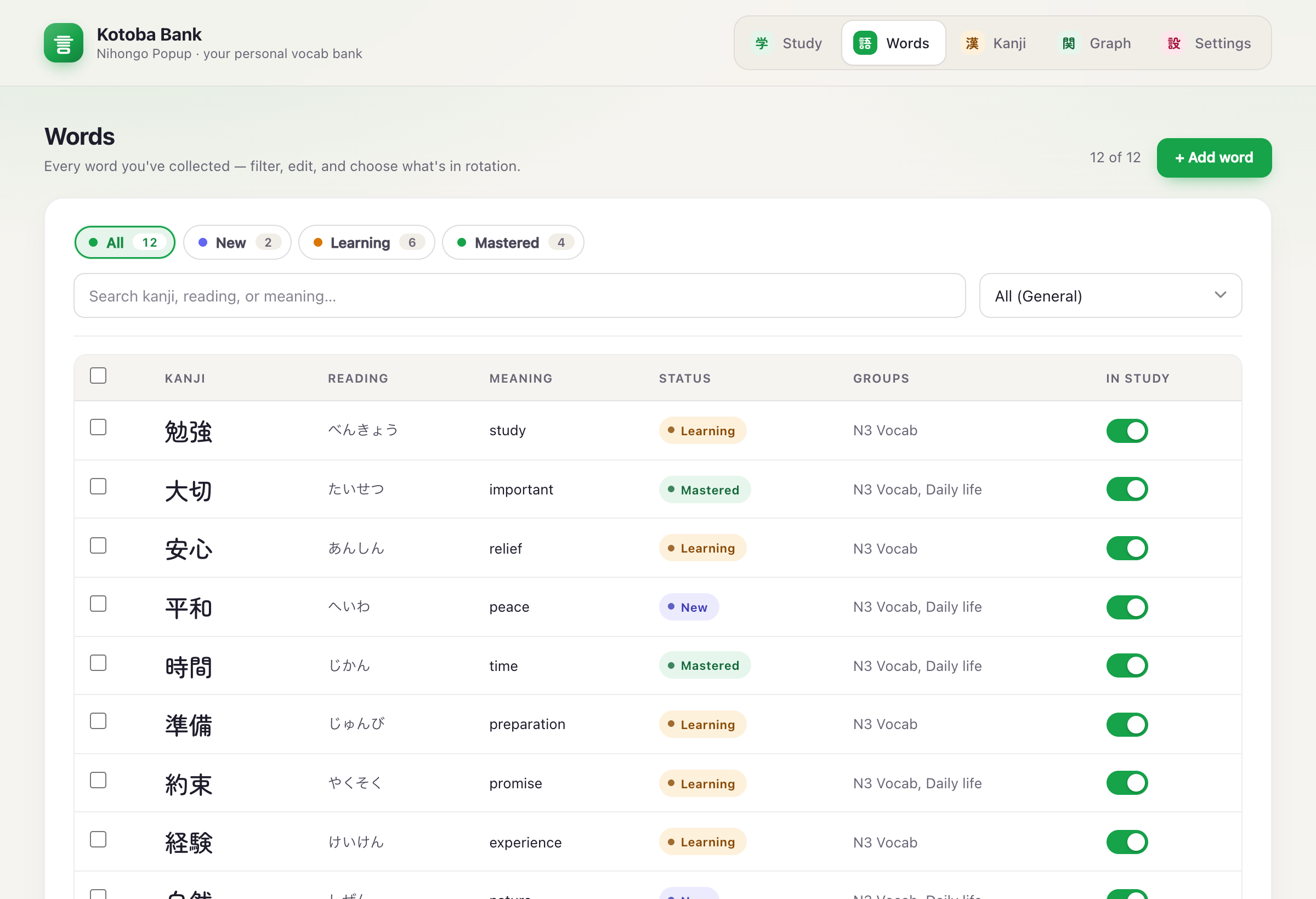
Every word you've ever saved
Search, filter by status or collection, edit, and choose which words are in rotation with one switch per word.
- New, Learning, Mastered at a glance
- Collections, and a word can live in several
- Bulk-add to a collection, export and import backups
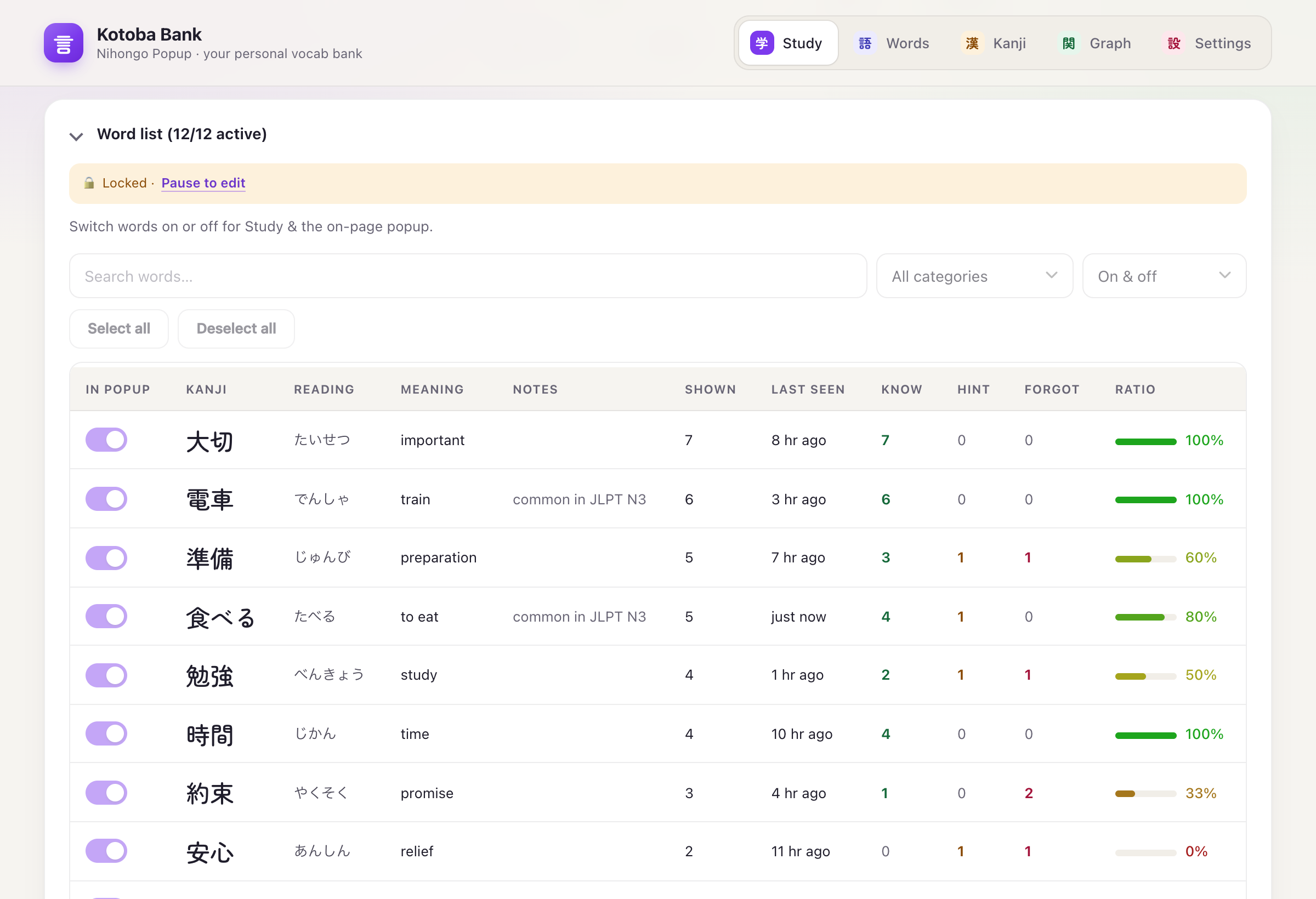
See how every word is going
How often each word has come up, when you last saw it, and how often you got it right, so you know exactly what needs work.
- Shown, last seen, Know / Hint / Forgot per word
- A colour-coded recall ratio, red to green
- Words you forget come back more often, automatically
Small touches that make it a habit.
A card every 1 to 240 minutes. Busy? Snooze for 30 minutes, or pause pop-ups from the toolbar.
Show the reading on the front of the card, or only after you reveal it.
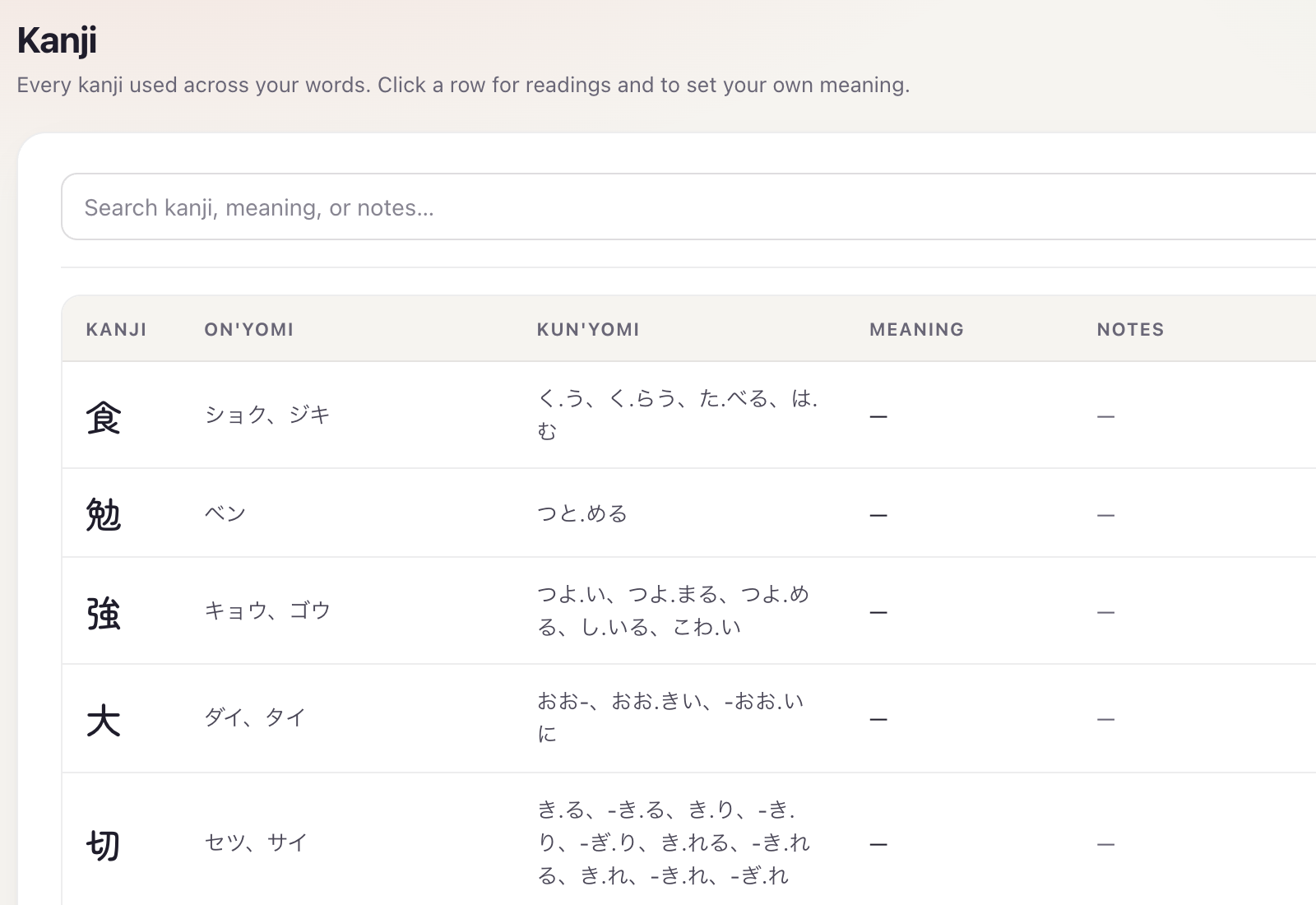
On'yomi and kun'yomi from KANJIDIC2. Tap a kanji on a card to see them.
Four accent colours. The pop-up card matches your theme.
Export everything to a JSON file, import it on another computer.
Up and running in a minute.
Kotoba isn't on the Chrome Web Store yet, so it installs as an unpacked extension. Four steps.
Updating? Download the new zip, replace the old folder, and press ↻ on the extension card. Your words stay, because they live in the browser, not in the folder.
- Download the
.zipfrom the latest release and unzip it somewhere permanent. - Open
chrome://extensionsand switch on Developer mode (top right). - Click Load unpacked and choose the unzipped folder.
- Pin it, click the icon, choose Open bank, and add your first words.
Your words stay yours.
Nothing to sign up for. Install it and start adding words.
Everything is stored in your browser. Back up with a JSON export.
No analytics, no telemetry. Page text is read locally and never sent anywhere.
Read the full privacy policy.
Start your own word bank.
Free, private, and ready in a minute. The next Japanese page you open will look a little more familiar.
Download for Chrome →Chrome on desktop · v1.4.0